mirror of
https://github.com/Jermolene/TiddlyWiki5
synced 2026-07-08 12:52:45 +00:00
Compare commits
17 Commits
| Author | SHA1 | Date | |
|---|---|---|---|
 Jeremy Ruston Jeremy Ruston
|
d44c7fd8df | ||
|
Mateusz Wilczek
|
d17525ec8e | ||
|
Joe Bordes
|
5bb8155422 | ||
|
Robin Munn
|
bb2973fc29 | ||
|
Jeremy Ruston
|
bbaa0890b5 | ||
|
Mario Pietsch
|
b4a862c618 | ||
|
Jeremy Ruston
|
1be8f0a933 | ||
|
lin onetwo
|
773c1f83f2 | ||
|
Robin Munn
|
8effb3f218 | ||
|
Robin Munn
|
780e5d33a4 | ||
|
Maurycy Zarzycki
|
526e997aa4 | ||
|
Jeremy Ruston
|
e4d8849f22 | ||
|
Jeremy Ruston
|
bd99cf3385 | ||
|
Simon Huber
|
711d1658e2 | ||
|
Jeremy Ruston
|
b82f012c0c | ||
|
Jeremy Ruston
|
f383863654 | ||
|
Mateusz Wilczek
|
697dc8db4c |
@@ -2674,6 +2674,18 @@ $tw.hooks.addHook = function(hookName,definition) {
|
||||
}
|
||||
};
|
||||
|
||||
/*
|
||||
Delete hooks from the hashmap
|
||||
*/
|
||||
$tw.hooks.removeHook = function(hookName,definition) {
|
||||
if($tw.utils.hop($tw.hooks.names,hookName)) {
|
||||
var p = $tw.hooks.names[hookName].indexOf(definition);
|
||||
if(p !== -1) {
|
||||
$tw.hooks.names[hookName].splice(p, 1);
|
||||
}
|
||||
}
|
||||
};
|
||||
|
||||
/*
|
||||
Invoke the hook by key
|
||||
*/
|
||||
|
||||
@@ -3,4 +3,4 @@ title: $:/language/Exporters/
|
||||
StaticRiver: Static HTML
|
||||
JsonFile: JSON file
|
||||
CsvFile: CSV file
|
||||
TidFile: ".tid" file
|
||||
TidFile: TID text file
|
||||
|
||||
@@ -19,7 +19,7 @@ The following options are supported:
|
||||
** ''yes'' will "explode" plugins into separate tiddler files and save them to the plugin directory within the wiki folder
|
||||
** ''no'' will suppress exploding plugins into their constituent tiddler files. It will save the plugin as a single JSON tiddler in the tiddlers folder
|
||||
|
||||
Note that both ''explodePlugins'' options will produce wiki folders that build the same exact same original wiki. The difference lies in how plugins are represented in the wiki folder.
|
||||
Note that both ''explodePlugins'' options will produce wiki folders that build the exact same original wiki. The difference lies in how plugins are represented in the wiki folder.
|
||||
|
||||
A common usage is to convert a TiddlyWiki HTML file into a wiki folder:
|
||||
|
||||
@@ -31,4 +31,4 @@ Save the plugin to the tiddlers directory of the target wiki folder:
|
||||
|
||||
```
|
||||
tiddlywiki --load ./mywiki.html --savewikifolder ./mywikifolder explodePlugins=no
|
||||
```
|
||||
```
|
||||
|
||||
@@ -1,5 +1,5 @@
|
||||
title: $:/language/Docs/Types/image/svg+xml
|
||||
description: Structured Vector Graphics image
|
||||
description: SVG image
|
||||
name: image/svg+xml
|
||||
group: Image
|
||||
group-sort: 1
|
||||
|
||||
@@ -1,5 +1,5 @@
|
||||
title: $:/language/Docs/Types/image/x-icon
|
||||
description: ICO format icon file
|
||||
description: ICO icon
|
||||
name: image/x-icon
|
||||
group: Image
|
||||
group-sort: 1
|
||||
|
||||
@@ -28,12 +28,8 @@ function getAllFilterOperators() {
|
||||
Export our filter function
|
||||
*/
|
||||
exports.all = function(source,operator,options) {
|
||||
// Get our suboperators
|
||||
var allFilterOperators = getAllFilterOperators();
|
||||
// Cycle through the suboperators accumulating their results
|
||||
var results = new $tw.utils.LinkedList(),
|
||||
subops = operator.operand.split("+");
|
||||
// Check for common optimisations
|
||||
var subops = operator.operand.split("+");
|
||||
if(subops.length === 1 && subops[0] === "") {
|
||||
return source;
|
||||
} else if(subops.length === 1 && subops[0] === "tiddlers") {
|
||||
@@ -46,6 +42,10 @@ exports.all = function(source,operator,options) {
|
||||
return options.wiki.eachShadowPlusTiddlers;
|
||||
}
|
||||
// Do it the hard way
|
||||
// Get our suboperators
|
||||
var allFilterOperators = getAllFilterOperators();
|
||||
// Cycle through the suboperators accumulating their results
|
||||
var results = new $tw.utils.LinkedList();
|
||||
for(var t=0; t<subops.length; t++) {
|
||||
var subop = allFilterOperators[subops[t]];
|
||||
if(subop) {
|
||||
|
||||
@@ -81,6 +81,9 @@ exports.parse = function() {
|
||||
}
|
||||
return [tiddlerNode];
|
||||
} else {
|
||||
// No template or text reference is provided, so we'll use a blank target. Otherwise we'll generate
|
||||
// a transclude widget that transcludes the current tiddler, often leading to recursion errors
|
||||
transcludeNode.attributes["$tiddler"] = {name: "$tiddler", type: "string", value: ""};
|
||||
return [transcludeNode];
|
||||
}
|
||||
}
|
||||
|
||||
@@ -79,6 +79,9 @@ exports.parse = function() {
|
||||
}
|
||||
return [tiddlerNode];
|
||||
} else {
|
||||
// No template or text reference is provided, so we'll use a blank target. Otherwise we'll generate
|
||||
// a transclude widget that transcludes the current tiddler, often leading to recursion errors
|
||||
transcludeNode.attributes["$tiddler"] = {name: "$tiddler", type: "string", value: ""};
|
||||
return [transcludeNode];
|
||||
}
|
||||
}
|
||||
|
||||
@@ -225,6 +225,8 @@ ListWidget.prototype.handleListChanges = function(changedTiddlers) {
|
||||
// If we are providing an counter variable then we must refresh the items, otherwise we can rearrange them
|
||||
var hasRefreshed = false,t;
|
||||
if(this.counterName) {
|
||||
var mustRefreshOldLast = false;
|
||||
var oldLength = this.children.length;
|
||||
// Cycle through the list and remove and re-insert the first item that has changed, and all the remaining items
|
||||
for(t=0; t<this.list.length; t++) {
|
||||
if(hasRefreshed || !this.children[t] || this.children[t].parseTreeNode.itemTitle !== this.list[t]) {
|
||||
@@ -232,6 +234,9 @@ ListWidget.prototype.handleListChanges = function(changedTiddlers) {
|
||||
this.removeListItem(t);
|
||||
}
|
||||
this.insertListItem(t,this.list[t]);
|
||||
if(!hasRefreshed && t === oldLength) {
|
||||
mustRefreshOldLast = true;
|
||||
}
|
||||
hasRefreshed = true;
|
||||
} else {
|
||||
// Refresh the item we're reusing
|
||||
@@ -239,6 +244,12 @@ ListWidget.prototype.handleListChanges = function(changedTiddlers) {
|
||||
hasRefreshed = hasRefreshed || refreshed;
|
||||
}
|
||||
}
|
||||
// If items were inserted then we must recreate the item that used to be at the last position as it is no longer last
|
||||
if(mustRefreshOldLast && oldLength > 0) {
|
||||
var oldLastIdx = oldLength-1;
|
||||
this.removeListItem(oldLastIdx);
|
||||
this.insertListItem(oldLastIdx,this.list[oldLastIdx]);
|
||||
}
|
||||
// If there are items to remove and we have not refreshed then recreate the item that will now be at the last position
|
||||
if(!hasRefreshed && this.children.length > this.list.length) {
|
||||
this.removeListItem(this.list.length-1);
|
||||
|
||||
@@ -10,7 +10,7 @@ first-search-filter: [all[shadows+tiddlers]prefix[$:/language/Docs/Types/]sort[d
|
||||
<em class="tc-edit tc-small-gap-right"><<lingo Type/Prompt>></em>
|
||||
<div class="tc-type-selector-dropdown-wrapper">
|
||||
<div class="tc-type-selector"><$fieldmangler>
|
||||
<$macrocall $name="keyboard-driven-input" tiddler=<<currentTiddler>> storeTitle=<<typeInputTiddler>> refreshTitle=<<refreshTitle>> selectionStateTitle=<<typeSelectionTiddler>> field="type" tag="input" default="" placeholder={{$:/language/EditTemplate/Type/Placeholder}} focusPopup=<<qualify "$:/state/popup/type-dropdown">> class="tc-edit-typeeditor tc-edit-texteditor tc-popup-handle" tabindex={{$:/config/EditTabIndex}} focus={{{ [{$:/config/AutoFocus}match[type]then[true]] ~[[false]] }}} cancelPopups="yes" configTiddlerFilter="[[$:/core/ui/EditTemplate/type]]" inputCancelActions=<<input-cancel-actions>>/><$button popup=<<qualify "$:/state/popup/type-dropdown">> class="tc-btn-invisible tc-btn-dropdown tc-small-gap" tooltip={{$:/language/EditTemplate/Type/Dropdown/Hint}} aria-label={{$:/language/EditTemplate/Type/Dropdown/Caption}}>{{$:/core/images/down-arrow}}</$button><$button message="tm-remove-field" param="type" class="tc-btn-invisible tc-btn-icon" tooltip={{$:/language/EditTemplate/Type/Delete/Hint}} aria-label={{$:/language/EditTemplate/Type/Delete/Caption}}>{{$:/core/images/delete-button}}<$action-deletetiddler $filter="[<storeTitle>] [<refreshTitle>] [<selectionStateTitle>]"/></$button>
|
||||
<$macrocall $name="keyboard-driven-input" tiddler=<<currentTiddler>> storeTitle=<<typeInputTiddler>> refreshTitle=<<refreshTitle>> selectionStateTitle=<<typeSelectionTiddler>> field="type" tag="input" default="" placeholder={{$:/language/EditTemplate/Type/Placeholder}} focusPopup=<<qualify "$:/state/popup/type-dropdown">> class="tc-edit-typeeditor tc-edit-texteditor tc-popup-handle" tabindex={{$:/config/EditTabIndex}} focus={{{ [{$:/config/AutoFocus}match[type]then[true]] ~[[false]] }}} cancelPopups="yes" configTiddlerFilter="[[$:/core/ui/EditTemplate/type]]" inputCancelActions=<<input-cancel-actions>>/><$button popup=<<qualify "$:/state/popup/type-dropdown">> class="tc-btn-invisible tc-btn-dropdown tc-small-gap" tooltip={{$:/language/EditTemplate/Type/Dropdown/Hint}} aria-label={{$:/language/EditTemplate/Type/Dropdown/Caption}}>{{$:/core/images/down-arrow}}</$button><$button message="tm-remove-field" param="type" class="tc-btn-invisible tc-btn-icon" tooltip={{$:/language/EditTemplate/Type/Delete/Hint}} aria-label={{$:/language/EditTemplate/Type/Delete/Caption}}>{{$:/core/images/delete-button}}<$action-deletetiddler $filter="[<typeInputTiddler>] [<storeTitle>] [<refreshTitle>] [<selectionStateTitle>]"/></$button>
|
||||
</$fieldmangler></div>
|
||||
|
||||
<div class="tc-block-dropdown-wrapper">
|
||||
|
||||
@@ -20,7 +20,7 @@ code-body: yes
|
||||
|
||||
<$navigator story="$:/StoryList" history="$:/HistoryList" openLinkFromInsideRiver={{$:/config/Navigation/openLinkFromInsideRiver}} openLinkFromOutsideRiver={{$:/config/Navigation/openLinkFromOutsideRiver}} relinkOnRename={{$:/config/RelinkOnRename}}>
|
||||
|
||||
<$dropzone enable=<<tv-enable-drag-and-drop>>>
|
||||
<$dropzone enable=<<tv-enable-drag-and-drop>> class="tc-dropzone tc-page-container-inner">
|
||||
|
||||
<$list filter="[all[shadows+tiddlers]tag[$:/tags/PageTemplate]!has[draft.of]]" variable="listItem">
|
||||
|
||||
|
||||
@@ -1,9 +1,14 @@
|
||||
created: 20141122200310516
|
||||
modified: 20201213161842776
|
||||
modified: 20230923031318421
|
||||
tags: Mechanisms
|
||||
title: HookMechanism
|
||||
type: text/vnd.tiddlywiki
|
||||
|
||||
The hook mechanism provides a way for plugins to intercept and modify default functionality. Hooks are added as follows:
|
||||
The hook mechanism provides a way for plugins to intercept and modify default functionality.
|
||||
|
||||
!! Add a hook
|
||||
|
||||
Hooks are added as follows:
|
||||
|
||||
```js
|
||||
/*
|
||||
@@ -13,6 +18,8 @@ handler: function to be called when hook is invoked
|
||||
$tw.hooks.addHook(name,handler);
|
||||
```
|
||||
|
||||
!!! Params and return
|
||||
|
||||
The handler function will be called with parameters that depend on the specific hook in question, but they always follow the pattern `handler(value,params...)`
|
||||
|
||||
* ''value'': an optional value that is to be transformed by the hook function
|
||||
@@ -20,11 +27,29 @@ The handler function will be called with parameters that depend on the specific
|
||||
|
||||
If required by the hook in question, the handler function must return the modified ''value''.
|
||||
|
||||
!!! Multiple handlers
|
||||
|
||||
Multiple handlers can be assigned to the same name using repeated calls. When a hook is invoked by name all registered functions will be called sequentially in their order of addition.
|
||||
|
||||
Note that the ''value'' passed to the subsequent hook function will be the return value of the previous hook function.
|
||||
|
||||
Though not essential care should be taken to ensure that hooks are added before they are invoked. For example: [[Hook: th-opening-default-tiddlers-list]] should ideally be added before the story startup module is invoked otherwise any hook specified additions to the default tiddlers will not be seen on the initial loading of the page, though will be visible if the user clicks the home button.
|
||||
Be careful not to `addHook` in widget's `render` method, which will be call several times. You could `addHook` in methods that only called once, e.g. the constructor of widget class. Otherwise you should `removeHook` then add it again.
|
||||
|
||||
!!! Timing of registration
|
||||
|
||||
Though not essential care should be taken to ensure that hooks are added before they are invoked.
|
||||
|
||||
For example: [[Hook: th-opening-default-tiddlers-list]] should ideally be added before the story startup module is invoked. Otherwise any hook specified additions to the default tiddlers will not be seen on the initial loading of the page, though will be visible if the user clicks the home button.
|
||||
|
||||
!! Remove a hook
|
||||
|
||||
You should clean up the callback when your widget is going to unmount.
|
||||
|
||||
```js
|
||||
$tw.hooks.removeHook(handler)
|
||||
```
|
||||
|
||||
The `handler` should be the same function instance you used in `addHook` (check by `===`). You can save it to `this.xxxHookHandler` on your widget, and call `removeHook` in [[destroy method|Widget `destroy` method examples]].
|
||||
|
||||
!! Example
|
||||
|
||||
|
||||
@@ -23,7 +23,7 @@
|
||||
"static": [
|
||||
"--render","$:/core/templates/static.template.html","static.html","text/plain",
|
||||
"--render","$:/core/templates/alltiddlers.template.html","alltiddlers.html","text/plain",
|
||||
"--render","[!is[system]]","[encodeuricomponent[]addprefix[static/]addsuffix[.html]]","text/plain",
|
||||
"--render","[!is[system]]","[encodeuricomponent[]addprefix[static/]addsuffix[.html]]","text/plain","$:/core/templates/static.tiddler.html",
|
||||
"--render","$:/core/templates/static.template.css","static/static.css","text/plain"]
|
||||
}
|
||||
}
|
||||
|
||||
@@ -15,7 +15,7 @@
|
||||
"static": [
|
||||
"--render","$:/core/templates/static.template.html","static.html","text/plain",
|
||||
"--render","$:/core/templates/alltiddlers.template.html","alltiddlers.html","text/plain",
|
||||
"--render","[!is[system]]","[encodeuricomponent[]addprefix[static/]addsuffix[.html]]","text/plain",
|
||||
"--render","[!is[system]]","[encodeuricomponent[]addprefix[static/]addsuffix[.html]]","text/plain","$:/core/templates/static.tiddler.html",
|
||||
"--render","$:/core/templates/static.template.css","static/static.css","text/plain"]
|
||||
}
|
||||
}
|
||||
|
||||
@@ -15,7 +15,7 @@
|
||||
"static": [
|
||||
"--render","$:/core/templates/static.template.html","static.html","text/plain",
|
||||
"--render","$:/core/templates/alltiddlers.template.html","alltiddlers.html","text/plain",
|
||||
"--render","[!is[system]]","[encodeuricomponent[]addprefix[static/]addsuffix[.html]]","text/plain",
|
||||
"--render","[!is[system]]","[encodeuricomponent[]addprefix[static/]addsuffix[.html]]","text/plain","$:/core/templates/static.tiddler.html",
|
||||
"--render","$:/core/templates/static.template.css","static/static.css","text/plain"]
|
||||
}
|
||||
}
|
||||
|
||||
@@ -17,7 +17,7 @@
|
||||
"static": [
|
||||
"--render","$:/core/templates/static.template.html","static.html","text/plain",
|
||||
"--render","$:/core/templates/alltiddlers.template.html","alltiddlers.html","text/plain",
|
||||
"--render","[!is[system]]","[encodeuricomponent[]addprefix[static/]addsuffix[.html]]","text/plain",
|
||||
"--render","[!is[system]]","[encodeuricomponent[]addprefix[static/]addsuffix[.html]]","text/plain","$:/core/templates/static.tiddler.html",
|
||||
"--render","$:/core/templates/static.template.css","static/static.css","text/plain"],
|
||||
"tiddlywikicore": [
|
||||
"--render","$:/core/templates/tiddlywiki5.js","[[tiddlywikicore-]addsuffix<version>addsuffix[.js]]","text/plain"]
|
||||
|
||||
@@ -15,7 +15,7 @@
|
||||
"static": [
|
||||
"--render","$:/core/templates/static.template.html","static.html","text/plain",
|
||||
"--render","$:/core/templates/alltiddlers.template.html","alltiddlers.html","text/plain",
|
||||
"--render","[!is[system]]","[encodeuricomponent[]addprefix[static/]addsuffix[.html]]","text/plain",
|
||||
"--render","[!is[system]]","[encodeuricomponent[]addprefix[static/]addsuffix[.html]]","text/plain","$:/core/templates/static.tiddler.html",
|
||||
"--render","$:/core/templates/static.template.css","static/static.css","text/plain"]
|
||||
}
|
||||
}
|
||||
@@ -527,6 +527,29 @@ describe("Widget module", function() {
|
||||
expect(wrapper.children[0].children[15].sequenceNumber).toBe(53);
|
||||
});
|
||||
|
||||
var testCounterLast = function(oldList, newList) {
|
||||
return function() {
|
||||
var wiki = new $tw.Wiki();
|
||||
// Add some tiddlers
|
||||
wiki.addTiddler({title: "Numbers", text: "", list: oldList});
|
||||
var text = "<$list filter='[list[Numbers]]' variable='item' counter='c'><<item>><$text text={{{ [<c-last>match[no]then[, ]] }}} /></$list>";
|
||||
var widgetNode = createWidgetNode(parseText(text,wiki),wiki);
|
||||
// Render the widget node to the DOM
|
||||
var wrapper = renderWidgetNode(widgetNode);
|
||||
// Test the rendering
|
||||
expect(wrapper.innerHTML).toBe("<p>" + oldList.split(' ').join(', ') + "</p>");
|
||||
// Append a number
|
||||
wiki.addTiddler({title: "Numbers", text: "", list: newList});
|
||||
refreshWidgetNode(widgetNode,wrapper,["Numbers"]);
|
||||
expect(wrapper.innerHTML).toBe("<p>" + newList.split(' ').join(', ') + "</p>");
|
||||
}
|
||||
}
|
||||
|
||||
it("the list widget with counter-last should update correctly when list is appended", testCounterLast("1 2 3 4", "1 2 3 4 5"));
|
||||
it("the list widget with counter-last should update correctly when last item is removed", testCounterLast("1 2 3 4", "1 2 3"));
|
||||
it("the list widget with counter-last should update correctly when first item is inserted", testCounterLast("1 2 3 4", "0 1 2 3 4"));
|
||||
it("the list widget with counter-last should update correctly when first item is removed", testCounterLast("1 2 3 4", "2 3 4"));
|
||||
|
||||
it("should deal with the list widget followed by other widgets", function() {
|
||||
var wiki = new $tw.Wiki();
|
||||
// Add some tiddlers
|
||||
|
||||
@@ -1,9 +0,0 @@
|
||||
created: 20171029155046637
|
||||
modified: 20171029155227382
|
||||
tags: [[Operator Examples]] [[stringify Operator]]
|
||||
title: jsonstringify Operator (Examples)
|
||||
type: text/vnd.tiddlywiki
|
||||
|
||||
<<.operator-example 1 """[[Title with "double quotes" and single ' and \backslash]] +[jsonstringify[]]""">>
|
||||
<<.operator-example 2 """[[Accents and emojis -> äñøßπ ⌛🎄🍪🍓 without suffix]] +[jsonstringify[]]""">>
|
||||
<<.operator-example 3 """[[Accents and emojis -> äñøßπ ⌛🎄🍪🍓 with rawunicode suffix]] +[jsonstringify:rawunicode[]]""">>
|
||||
@@ -1,9 +1,9 @@
|
||||
created: 20161017154944352
|
||||
modified: 20171029155233487
|
||||
modified: 20230919124059118
|
||||
tags: [[Operator Examples]] [[stringify Operator]]
|
||||
title: stringify Operator (Examples)
|
||||
type: text/vnd.tiddlywiki
|
||||
|
||||
<<.operator-example 1 """[[Title with "double quotes" and single ' and \backslash]] +[stringify[]]""">>
|
||||
<<.operator-example 2 """[[Accents and emojis -> äñøßπ ⌛🎄🍪🍓 without suffix]] +[stringify[]]""">>
|
||||
<<.operator-example 3 """[[Accents and emojis -> äñøßπ ⌛🎄🍪🍓 with rawunicode suffix]] +[stringify:rawunicode[]]""">>
|
||||
<<.operator-example 3 """[[Accents and emojis -> äñøßπ ⌛🎄🍪🍓 with rawunicode suffix]] +[stringify:rawunicode[]]""">>
|
||||
@@ -1,36 +1,12 @@
|
||||
caption: jsonstringify
|
||||
created: 20171029155051467
|
||||
from-version: 5.1.14
|
||||
modified: 20171029155143797
|
||||
op-input: a [[selection of titles|Title Selection]]
|
||||
op-output: the input with JSON string encodings applied
|
||||
modified: 20230919124826880
|
||||
op-parameter:
|
||||
op-parameter-name:
|
||||
op-purpose: apply JSON string encoding to a string
|
||||
op-suffix: <<.from-version "5.1.23">> optionally, the keyword `rawunicode`
|
||||
op-purpose: deprecated, use <<.olink stringify>> instead
|
||||
op-suffix-name: R
|
||||
tags: [[Filter Operators]] [[String Operators]]
|
||||
title: jsonstringify Operator
|
||||
type: text/vnd.tiddlywiki
|
||||
|
||||
The following substitutions are made:
|
||||
|
||||
|!Character |!Replacement |!Condition |
|
||||
|`\` |`\\` |Always |
|
||||
|`"` |`\"` |Always |
|
||||
|Carriage return (0x0d) |`\\r` |Always |
|
||||
|Line feed (0x0a) |`\\n` |Always |
|
||||
|Backspace (0x08) |`\\b` |Always |
|
||||
|Form field (0x0c) |`\\f` |Always |
|
||||
|Tab (0x09) |`\\t` |Always |
|
||||
|Characters from 0x00 to 0x1f |`\\u####` where #### is four hex digits |Always |
|
||||
|Characters from 0x80 to 0xffff|`\\u####` where #### is four hex digits |If `rawunicode` suffix is not present (default) |
|
||||
|Characters from 0x80 to 0xffff|Unchanged |If `rawunicode` suffix is present <<.from-version "5.1.23">> |
|
||||
|
||||
<<.from-version "5.1.23">> If the suffix `rawunicode` is present, Unicode characters above 0x80 (such as ß, ä, ñ or 🎄) will be passed through unchanged. Without the suffix, they will be substituted with `\\u` codes, which was the default behavior before 5.1.23.
|
||||
|
||||
<<.note """Technical note: Characters outside the Basic Multilingual Plane, such as 🎄 and other emojis, will be encoded as a UTF-16 surrogate pair, i.e. with two `\u` sequences.""">>
|
||||
|
||||
Also see the [[stringify Operator]].
|
||||
|
||||
<<.operator-examples "jsonstringify">>
|
||||
|
||||
@@ -1,6 +1,7 @@
|
||||
caption: stringify
|
||||
created: 20161017153038029
|
||||
modified: 20171029155143797
|
||||
from-version: 5.1.14
|
||||
modified: 20230919130847809
|
||||
op-input: a [[selection of titles|Title Selection]]
|
||||
op-output: the input with ~JavaScript string encodings applied
|
||||
op-parameter:
|
||||
@@ -11,26 +12,25 @@ op-suffix-name: R
|
||||
tags: [[Filter Operators]] [[String Operators]]
|
||||
title: stringify Operator
|
||||
type: text/vnd.tiddlywiki
|
||||
from-version: 5.1.14
|
||||
|
||||
The following substitutions are made:
|
||||
|
||||
|!Character |!Replacement |!Condition |
|
||||
|`\` |`\\` |Always |
|
||||
|`"` |`\"` |Always |
|
||||
|Carriage return (0x0d) |`\\r` |Always |
|
||||
|Line feed (0x0a) |`\\n` |Always |
|
||||
|Backspace (0x08) |`\\b` |Always |
|
||||
|Form field (0x0c) |`\\f` |Always |
|
||||
|Tab (0x09) |`\\t` |Always |
|
||||
|Characters from 0x00 to 0x1f |`\\x##` where ## is two hex digits |Always |
|
||||
|Characters from 0x80 to 0xffff|`\\u####` where #### is four hex digits |If `rawunicode` suffix is not present (default) |
|
||||
|Carriage return (0x0d) |`\r` |Always |
|
||||
|Line feed (0x0a) |`\n` |Always |
|
||||
|Backspace (0x08) |`\b` |Always |
|
||||
|Form field (0x0c) |`\f` |Always |
|
||||
|Tab (0x09) |`\t` |Always |
|
||||
|Characters from 0x00 to 0x1f |`\x##` where ## is two hex digits |Always |
|
||||
|Characters from 0x80 to 0xffff|`\u####` where #### is four hex digits |If `rawunicode` suffix is not present (default) |
|
||||
|Characters from 0x80 to 0xffff|<<.from-version "5.1.23">> Unchanged |If `rawunicode` suffix is present |
|
||||
|
||||
<<.from-version "5.1.23">> If the suffix `rawunicode` is present, Unicode characters above 0x80 (such as ß, ä, ñ or 🎄) will be passed through unchanged. Without the suffix, they will be substituted with `\\u` codes, which was the default behavior before 5.1.23.
|
||||
<<.from-version "5.1.23">> If the suffix `rawunicode` is present, Unicode characters above 0x80 (such as ß, ä, ñ or 🎄) will be passed through unchanged. Without the suffix, they will be substituted with `\u` codes, which was the default behavior before 5.1.23.
|
||||
|
||||
<<.note """Technical note: Characters outside the Basic Multilingual Plane, such as 🎄 and other emojis, will be encoded as a UTF-16 surrogate pair, i.e. with two `\u` sequences.""">>
|
||||
<<.note """Characters outside the Basic Multilingual Plane, such as 🎄 and other emojis, will be encoded as a UTF-16 surrogate pair, i.e. with two `\u` sequences.""">>
|
||||
|
||||
Also see the [[jsonstringify Operator]].
|
||||
<<.olink jsonstringify>> is considered deprecated, as it duplicates the functionality of <<.op stringify>>.
|
||||
|
||||
<<.operator-examples "stringify">>
|
||||
<<.operator-examples "stringify">>
|
||||
@@ -1,7 +1,7 @@
|
||||
title: Constructing JSON tiddlers
|
||||
tags: [[JSON in TiddlyWiki]] [[Learning]]
|
||||
created: 20220427174702859
|
||||
modified: 20220427174702859
|
||||
modified: 20230809113620964
|
||||
tags: [[JSON in TiddlyWiki]] Learning
|
||||
title: Constructing JSON tiddlers
|
||||
|
||||
See [[JSON in TiddlyWiki]] for an overview of using JSON in TiddlyWiki.
|
||||
|
||||
@@ -13,4 +13,4 @@ At a high level, we have several ways to generate JSON data in TiddlyWiki's own
|
||||
* [[jsontiddler Macro]]
|
||||
* [[jsontiddlers Macro]]
|
||||
|
||||
When constructing JSON data manually, the [[jsonstringify Operator]] is needed to ensure that any special characters are properly escaped.
|
||||
When constructing JSON data manually, the [[stringify Operator]] is needed to ensure that any special characters are properly escaped.
|
||||
|
||||
@@ -1,13 +1,17 @@
|
||||
created: 20220917113002350
|
||||
modified: 20230419103154329
|
||||
modified: 20230921180332436
|
||||
tags: Pragmas
|
||||
title: Pragma: \whitespace
|
||||
type: text/vnd.tiddlywiki
|
||||
|
||||
<<.from-version "5.1.15">> The ''\whitespace'' [[pragma|Pragmas]] determines how spaces and newlines are treated within wikitext. Note that this only applies to the printable text, and not to other text, such as the values of attributes.
|
||||
<<.from-version "5.1.15">> The ''\whitespace'' [[pragma|Pragmas]] determines how spaces and newlines are treated within wikitext.
|
||||
|
||||
* ''notrim'' -- whitespace text is not subject to special processing (the default)
|
||||
* ''trim'' -- whitespace text is removed
|
||||
* ''trim'' -- whitespace text is ignored
|
||||
|
||||
Note that the processing only applies to the printable text, and not to other text, such as the values of attributes.
|
||||
|
||||
The whitespace setting only applies to the parsed content in which it appears. The setting is inherited by embedded [[Procedure Definitions]] and [[Custom Widgets]] definitions, but is not inherited by [[Macro definitions]].
|
||||
|
||||
```
|
||||
\whitespace trim|notrim
|
||||
|
||||
@@ -1,5 +1,5 @@
|
||||
created: 20221007125701001
|
||||
modified: 20230419103154329
|
||||
modified: 20230921180332436
|
||||
tags: WikiText Procedures
|
||||
title: Procedure Definitions
|
||||
type: text/vnd.tiddlywiki
|
||||
@@ -18,6 +18,8 @@ This is the procedure text (param=<<param>>)
|
||||
\end
|
||||
```
|
||||
|
||||
Note that the [[Pragma: \whitespace]] setting is inherited from the parsing context in which the procedure definition occurs. That means that a tiddler containing multiple procedure definitions only needs a single whitespace pragma at the top of the tiddler, and the setting will be automatically inherited by the procedure definitions without needing the pragma to be repeated.
|
||||
|
||||
!! Procedure Definition with Set Widget
|
||||
|
||||
Procedures are implemented as a special kind of [[variable|Variables]] and so internally are actually defined with a <<.wlink SetWidget>> widget.
|
||||
|
||||
@@ -1,5 +1,5 @@
|
||||
created: 20221007144237585
|
||||
modified: 20230419103154328
|
||||
modified: 20230921180332436
|
||||
tags: Concepts Reference
|
||||
title: Custom Widgets
|
||||
type: text/vnd.tiddlywiki
|
||||
@@ -22,6 +22,8 @@ This is the widget, and the attribute is <<attribute>>.
|
||||
|
||||
The name of the widget must start with a dollar sign. If it is a user defined widget that does not override an existing widget then it must include at least one period (dot) within the name (for example `$my.widget` or `$acme.logger`).
|
||||
|
||||
Note that the [[Pragma: \whitespace]] setting is inherited from the parsing context in which the procedure definition occurs. That means that a tiddler containing multiple procedure definitions only needs a single whitespace pragma at the top of the tiddler, and the setting will be automatically inherited by the procedure definitions without needing the pragma to be repeated.
|
||||
|
||||
!! Using Custom Widgets
|
||||
|
||||
Custom widgets are called in the same way as ordinary built-in widgets:
|
||||
|
||||
@@ -6,8 +6,7 @@
|
||||
"tiddlywiki/railroad",
|
||||
"tiddlywiki/evernote",
|
||||
"tiddlywiki/internals",
|
||||
"tiddlywiki/menubar",
|
||||
"tiddlywiki/qrcode"
|
||||
"tiddlywiki/menubar"
|
||||
],
|
||||
"themes": [
|
||||
"tiddlywiki/vanilla",
|
||||
|
||||
@@ -67,6 +67,8 @@ More/Caption: Más
|
||||
More/Hint: Otras acciones
|
||||
NewHere/Caption: Nuevo aquí
|
||||
NewHere/Hint: Crea un nuevo tiddler etiquetado con el título de este tiddler
|
||||
NetworkActivity/Caption: actividad de red
|
||||
NetworkActivity/Hint: Cancelar la actividad de red
|
||||
NewJournal/Caption: Nueva entrada
|
||||
NewJournal/Hint: Crea una nueva entrada de diario
|
||||
NewJournalHere/Caption: Entrada nueva aquí
|
||||
|
||||
@@ -1,11 +1,13 @@
|
||||
title: $:/language/Docs/Fields/
|
||||
|
||||
_canonical_uri: Dirección (URI) completa -absoluta o relativa- de un tiddler externo de imagen
|
||||
author: Nombre del autor de un plugin
|
||||
bag: Nombre de la bolsa de la que procede un tiddler
|
||||
caption: Texto que se muestra en una pestaña o botón, con independencia del título del tiddler que lo define
|
||||
code-body: La plantilla de vista mostrará el tiddler como código si se establece en ''yes''
|
||||
color: Valor CSS del color de fondo asociado a un tiddler
|
||||
component: Nombre del componente responsable de un [[tiddler de alerta|AlertMechanism]]
|
||||
core-version: Para un plugin, indica con qué versión de TiddlyWiki es compatible
|
||||
current-tiddler: Usado para incluir el tiddler superior en una [[historia|HistoryMechanism]]
|
||||
created: Fecha de creación del tiddler
|
||||
creator: Nombre del autor del tiddler
|
||||
@@ -22,7 +24,9 @@ list-before: Título del tiddler antes del que el presente será añadido a una
|
||||
list-after: Título del tiddler tras el que el presente será añadido a una lista de tiddlers.
|
||||
modified: Fecha y hora de última modificación
|
||||
modifier: Nombre del tiddler asociado con quien modificó por última vez el presente tiddler
|
||||
module-type: Para los tiddlers javascript, especifica de qué tipo de módulo se trata
|
||||
name: Nombre asociado con un complemento o extensión
|
||||
parent-plugin: Para un plugin, especifica de qué plugin es un subplugin
|
||||
plugin-priority: Valor numérico que indica la prioridad de un complemento o extensión
|
||||
plugin-type: Tipo de complemento o extensión
|
||||
revision: Revisión del tiddler existente en el servidor
|
||||
|
||||
@@ -18,7 +18,7 @@ Todos los parámetros son opcionales con valores predeterminados seguros y se pu
|
||||
* ''anon-username'' - el nombre de usuario para firmar ediciones de usuarios anónimos
|
||||
* ''username'' - nombre de usuario opcional para autenticación básica
|
||||
* ''password'' - contraseña opcional para autenticación básica
|
||||
* ''authenticated-user-header'' - nombre opcional del encabezado que se utilizará para la autenticación de confianza
|
||||
* ''authenticated-user-header'' - nombre opcional del encabezado de solicitud que se utilizará para la autenticación de confianza.
|
||||
* ''readers'' - lista separada por comas de los usuarios autorizados a leer de este wiki
|
||||
* ''writers'' - lista separada por comas de los usuarios autorizados a escribir en este wiki
|
||||
* ''csrf-disable'' - establecer a "yes" para deshabilitar las comprobaciones CSRF (el valor predeterminado es "no")
|
||||
|
||||
@@ -4,7 +4,7 @@ description: Guarda un wiki en una nueva carpeta de wiki
|
||||
<<.from-version "5.1.20">> Guarda el wiki actual como una carpeta de wiki, incluidos tiddlers, complementos y configuración:
|
||||
|
||||
```
|
||||
--savewikifolder <wikifolderpath> [<filter>]
|
||||
--savewikifolder <wikifolderpath> [<filter>] [ [<name>=<value>] ]*
|
||||
```
|
||||
|
||||
* La carpeta wiki de destino debe estar vacía o no existir
|
||||
@@ -12,8 +12,23 @@ description: Guarda un wiki en una nueva carpeta de wiki
|
||||
* Los complementos de la biblioteca oficial de complementos se reemplazan con referencias a esos complementos en el archivo `tiddlywiki.info`
|
||||
* Los complementos personalizados se descomprimen en su propia carpeta
|
||||
|
||||
Se admiten las siguientes opciones:
|
||||
|
||||
* ''filter'': una expresión de filtro que define los tiddlers que se incluirán en la salida.
|
||||
* ''explodePlugins'': por defecto "yes".
|
||||
** ''yes'' desplegará los plugins en archivos tiddler separados y los guardará en el directorio de plugins dentro de la carpeta wiki
|
||||
** ''no'' no realizará el despliegue del plugin en sus archivos tiddler constituyentes si no que guardará el plugin como un único tiddler JSON en la carpeta tiddlers.
|
||||
|
||||
Ten en cuenta que ambas opciones ''explodePlugins'' producirán carpetas wiki que construirán exactamente el mismo wiki original. La diferencia radica en cómo se representan los plugins en la carpeta wiki.
|
||||
|
||||
Un uso común es convertir un archivo HTML de TiddlyWiki en una carpeta wiki:
|
||||
|
||||
```
|
||||
tiddlywiki --load ./mywiki.html --savewikifolder ./mywikifolder
|
||||
```
|
||||
|
||||
Guarda el plugin en el directorio tiddlers de la carpeta wiki de destino:
|
||||
|
||||
```
|
||||
tiddlywiki --load ./mywiki.html --savewikifolder ./mywikifolder explodePlugins=no
|
||||
```
|
||||
|
||||
@@ -1,5 +1,5 @@
|
||||
title: $:/language/Help/server
|
||||
description: Proporciona interfaz de servidor HTTP a TiddlyWiki (en desuso a favor del nuevo comando listen)
|
||||
description: (en desuso: utiliza el comando 'listen') Proporciona interfaz de servidor HTTP a TiddlyWiki
|
||||
|
||||
Comando obsoleto para servir una wiki a través de HTTP.
|
||||
|
||||
|
||||
@@ -25,6 +25,8 @@ Encryption/RepeatPassword: Repite la contraseña
|
||||
Encryption/PasswordNoMatch: Las contraseñas no coinciden
|
||||
Encryption/SetPassword: Establecer contraseña
|
||||
Error/Caption: Error
|
||||
Error/DeserializeOperator/MissingOperand: Error de filtro: Falta el operando 'deserialize
|
||||
Error/DeserializeOperator/UnknownDeserializer: Error de filtro: Deserializador desconocido proporcionado como operando para el operador 'deserialize'.
|
||||
Error/Filter: Error de filtro
|
||||
Error/FilterSyntax: Error de sintaxis en la expresión de filtro
|
||||
Error/FilterRunPrefix: Error en Filtro: Prefijo desconocido para la ejecución del filtro
|
||||
@@ -40,6 +42,7 @@ Error/RetrievingSkinny: Error al recuperar la lista resumida de tiddlers
|
||||
Error/SavingToTWEdit: Error al guardar en TWEdit
|
||||
Error/WhileSaving: Error al guardar
|
||||
Error/XMLHttpRequest: Código de error XMLHttpRequest
|
||||
Error/ZoominTextNode: Error de vista de historia: Parece que has intentado interactuar con un tiddler que se muestra en un contenedor personalizado. La causa más probable es el uso de `$:/tags/StoryTiddlerTemplateFilter` con una plantilla que contiene texto o espacios en blanco al principio. Utiliza el pragma `\whitespace trim` y asegúrate de que todo el contenido del tiddler está envuelto en un único elemento HTML. El texto que causó este problema:
|
||||
InternalJavaScriptError/Hint: Hay un problema. Se recomienda que reinicies TiddlyWiki
|
||||
InternalJavaScriptError/Title: Error interno de JavaScript
|
||||
LayoutSwitcher/Description: Abre el selector de diseño
|
||||
|
||||
@@ -1,3 +1,3 @@
|
||||
title: $:/SiteTitle
|
||||
|
||||
Mi ~TiddlyWiki
|
||||
Mi TiddlyWiki
|
||||
|
||||
@@ -1,5 +1,5 @@
|
||||
title: $:/language/Help/server
|
||||
description: Tworzy serwer HTTP wystawiający TiddlyWiki (zalecamy użycie komendy "--listen" zamiast tej)
|
||||
description: (nieaktualne: patrz komenda 'listen') Tworzy serwer HTTP wystawiający TiddlyWiki (zalecamy użycie komendy "--listen" zamiast tej)
|
||||
|
||||
Dawna komenda do stawiania serwera wystawiającego wiki.
|
||||
|
||||
|
||||
@@ -5,13 +5,13 @@ tags: [[$:/tags/Stylesheet]]
|
||||
|
||||
.tc-is-comment-header {
|
||||
padding: 0.25em;
|
||||
border: 2px solid #c1e1ea;
|
||||
border: 2px solid <<colour message-foreground>>;
|
||||
border-radius: 4px;
|
||||
background: #f1fcff;
|
||||
background: <<colour message-background>>;
|
||||
}
|
||||
|
||||
.tc-comments-segment {
|
||||
border-top: 2px solid #d7eef4;
|
||||
border-top: 2px solid <<colour message-border>>;
|
||||
}
|
||||
|
||||
.tc-comment-button button {
|
||||
@@ -25,7 +25,7 @@ tags: [[$:/tags/Stylesheet]]
|
||||
}
|
||||
|
||||
.tc-comment-button button svg {
|
||||
fill: #26cb56;
|
||||
fill: <<colour download-background>>;
|
||||
height: 2em;
|
||||
width: 2em;
|
||||
}
|
||||
@@ -44,18 +44,18 @@ tags: [[$:/tags/Stylesheet]]
|
||||
|
||||
.tc-comment-entry {
|
||||
position: relative;
|
||||
border: 2px solid #c1e1ea;
|
||||
border: 2px solid <<colour message-border>>;
|
||||
border-radius: 4px;
|
||||
margin: 0.5em 0 0 0;
|
||||
background: #f1fcff;
|
||||
background: <<colour message-background>>;
|
||||
}
|
||||
|
||||
.tc-comment-entry-heading {
|
||||
font-size: 0.7em;
|
||||
font-weight: bold;
|
||||
text-transform: uppercase;
|
||||
background: #d7eef4;
|
||||
color: #5B6D80;
|
||||
background: <<colour message-background>>;
|
||||
color: <<colour message-foreground>>;
|
||||
padding: 0 0.5em;
|
||||
}
|
||||
|
||||
|
||||
+1
-1
@@ -1,4 +1,4 @@
|
||||
title: $:/plugins/tiddlywiki/qrcode/make/MakeContactQR
|
||||
title: $:/plugins/tiddlywiki/qrcode/MakeContactQR
|
||||
tags: $:/tags/MakeQR
|
||||
caption: Contact
|
||||
|
||||
+1
-1
@@ -1,4 +1,4 @@
|
||||
title: $:/plugins/tiddlywiki/qrcode/make/MakeGenericQR
|
||||
title: $:/plugins/tiddlywiki/qrcode/MakeGenericQR
|
||||
tags: $:/tags/MakeQR
|
||||
caption: Generic
|
||||
|
||||
+1
-1
@@ -1,4 +1,4 @@
|
||||
title: $:/plugins/tiddlywiki/qrcode/make/MakeWifiQR
|
||||
title: $:/plugins/tiddlywiki/qrcode/MakeWifiQR
|
||||
tags: $:/tags/MakeQR
|
||||
caption: Wifi
|
||||
|
||||
@@ -1,90 +0,0 @@
|
||||
/*\
|
||||
title: $:/plugins/tiddlywiki/qrcode/barcodereader.js
|
||||
type: application/javascript
|
||||
module-type: widget
|
||||
|
||||
barcodereader widget for reading barcodes
|
||||
|
||||
\*/
|
||||
(function(){
|
||||
|
||||
/*jslint node: true, browser: true */
|
||||
/*global $tw: false */
|
||||
"use strict";
|
||||
|
||||
var Widget = require("$:/core/modules/widgets/widget.js").widget;
|
||||
|
||||
var nextID = 0;
|
||||
|
||||
var BarCodeReaderWidget = function(parseTreeNode,options) {
|
||||
this.initialise(parseTreeNode,options);
|
||||
};
|
||||
|
||||
/*
|
||||
Inherit from the base widget class
|
||||
*/
|
||||
BarCodeReaderWidget.prototype = new Widget();
|
||||
|
||||
/*
|
||||
Render this widget into the DOM
|
||||
*/
|
||||
BarCodeReaderWidget.prototype.render = function(parent,nextSibling) {
|
||||
var self = this;
|
||||
this.parentDomNode = parent;
|
||||
this.computeAttributes();
|
||||
// Make the child widgets
|
||||
this.makeChildWidgets();
|
||||
// Generate an ID for this element
|
||||
var id = "capture-widget-internal-" + nextID;
|
||||
nextID += 1;
|
||||
// Create the DOM node and render children
|
||||
var domNode = this.document.createElement("div");
|
||||
domNode.className = "tc-readcode-widget";
|
||||
domNode.setAttribute("width","300px");
|
||||
domNode.setAttribute("height","300px");
|
||||
domNode.id = id;
|
||||
parent.insertBefore(domNode,nextSibling);
|
||||
this.renderChildren(domNode,null);
|
||||
this.domNodes.push(domNode);
|
||||
// Setup the qrcode library
|
||||
if($tw.browser) {
|
||||
var __Html5QrcodeLibrary__ = require("$:/plugins/tiddlywiki/qrcode/html5-qrcode/html5-qrcode.js").__Html5QrcodeLibrary__;
|
||||
function onScanSuccess(decodedText, decodedResult) {
|
||||
self.invokeActionString(self.getAttribute("actionsSuccess",""),self,{},{
|
||||
format: decodedResult.result.format.formatName,
|
||||
text: decodedText
|
||||
});
|
||||
console.log("Scan result",decodedResult,decodedText);
|
||||
}
|
||||
function onScanFailure(errorMessage) {
|
||||
self.invokeActionString(self.getAttribute("actionsFailure",""),self,{},{
|
||||
error: errorMessage
|
||||
});
|
||||
console.log("Scan error",errorMessage);
|
||||
}
|
||||
var html5QrcodeScanner = new __Html5QrcodeLibrary__.Html5QrcodeScanner(
|
||||
id,
|
||||
{
|
||||
fps: 10,
|
||||
qrbox: 250
|
||||
}
|
||||
);
|
||||
html5QrcodeScanner.render(onScanSuccess,onScanFailure);
|
||||
}
|
||||
};
|
||||
|
||||
/*
|
||||
Selectively refreshes the widget if needed. Returns true if the widget or any of its children needed re-rendering
|
||||
*/
|
||||
BarCodeReaderWidget.prototype.refresh = function(changedTiddlers) {
|
||||
var changedAttributes = this.computeAttributes(),
|
||||
hasChangedAttributes = $tw.utils.count(changedAttributes) > 0;
|
||||
if(hasChangedAttributes) {
|
||||
return this.refreshSelf();
|
||||
}
|
||||
return this.refreshChildren(changedTiddlers) || hasChangedAttributes;
|
||||
};
|
||||
|
||||
exports.barcodereader = BarCodeReaderWidget;
|
||||
|
||||
})();
|
||||
@@ -0,0 +1,3 @@
|
||||
title: $:/plugins/tiddlywiki/qrcode/examples
|
||||
|
||||
<<tabs "[all[shadows+tiddlers]tag[$:/tags/MakeQR]!has[draft.of]]" "$:/plugins/tiddlywiki/qrcode/MakeGenericQR">>
|
||||
@@ -0,0 +1,13 @@
|
||||
title: $:/plugins/tiddlywiki/qrcode/readme
|
||||
|
||||
The QR code plugin provides a macro that enables any text to be rendered as a [[QR code|https://en.wikipedia.org/wiki/QR_code]]. QR codes are a type of 2-dimensional bar code that encodes arbitrary data: text, numbers, links. QR code readers are available or built-in for smartphones, making them a convenient means to transfer information between devices
|
||||
|
||||
The QR code plugin adds the following features to TiddlyWiki:
|
||||
|
||||
* A new [[makeqr Macro]] that renders specified text as a QR code image that can be displayed or printed
|
||||
* A new toolbar button that can display several QR code renderings of the content of a tiddler:
|
||||
** Raw content
|
||||
** Rendered, formatted content
|
||||
** URL of tiddler
|
||||
|
||||
The QR code plugin is based on the library [[qrcode.js by Zeno Zeng|https://github.com/zenozeng/node-yaqrcode]].
|
||||
@@ -1,8 +1,8 @@
|
||||
title: $:/plugins/tiddlywiki/qrcode/docs/qrcode
|
||||
tags: $:/tags/QRCodeDocs
|
||||
caption: makeqr Macro
|
||||
title: $:/plugins/tiddlywiki/qrcode/usage
|
||||
|
||||
The ''makeqr'' [[macro|Macros]] converts text data into an image of the corresponding QR code. The image is returned as [[base64-encoded data URI|https://developer.mozilla.org/en-US/docs/Web/HTTP/Basics_of_HTTP/Data_URIs]].
|
||||
! `makeqr` Macro
|
||||
|
||||
The <<.def makeqr>> [[macro|Macros]] converts text data into an image of the corresponding QR code. The image is returned as [[base64-encoded data URI|https://developer.mozilla.org/en-US/docs/Web/HTTP/Basics_of_HTTP/Data_URIs]].
|
||||
|
||||
!! Parameters
|
||||
|
||||
@@ -1,3 +0,0 @@
|
||||
title: $:/plugins/tiddlywiki/qrcode/docs
|
||||
|
||||
<<tabs "[all[shadows+tiddlers]tag[$:/tags/QRCodeDocs]!has[draft.of]]" "$:/plugins/tiddlywiki/qrcode/docs/barcodereader">>
|
||||
@@ -1,44 +0,0 @@
|
||||
title: $:/plugins/tiddlywiki/qrcode/docs/barcodereader
|
||||
tags: $:/tags/QRCodeDocs
|
||||
caption: barcodereader Widget
|
||||
|
||||
The `<$barcodereader>` widget allows barcodes to be read from the device camera or from an image file. In the case of the camera, a live preview feed is shown to allow the barcode to be framed.
|
||||
|
||||
Note that for security reasons browsers restrict the operation of the camera to only work with web pages that have been loaded via HTTPS, or via localhost. Safari and Firefox allow usage from a file URI, but Chrome crashes when attempting to use the barcode reader from a file URI.
|
||||
|
||||
The `<$barcodereader>` widget has the following attributes:
|
||||
|
||||
|!Name |!Description |
|
||||
|actionsSuccess |Action string to be executed when a code is successfully decoded |
|
||||
|actionsFailure |Action string to be executed in the event of an error |
|
||||
|
||||
The following variables are passed to the ''actionsSuccess'' handler:
|
||||
|
||||
|!Name |!Description |
|
||||
|format |Barcode format (see below) |
|
||||
|text |Decoded text |
|
||||
|
||||
The following barcode formats are supported:
|
||||
|
||||
* 0: "QR_CODE"
|
||||
* 1: "AZTEC"
|
||||
* 2: "CODABAR"
|
||||
* 3: "CODE_39"
|
||||
* 4: "CODE_93"
|
||||
* 5: "CODE_128"
|
||||
* 6: "DATA_MATRIX"
|
||||
* 7: "MAXICODE"
|
||||
* 8: "ITF"
|
||||
* 9: "EAN_13"
|
||||
* 10: "EAN_8"
|
||||
* 11: "PDF_417"
|
||||
* 12: "RSS_14"
|
||||
* 13: "RSS_EXPANDED"
|
||||
* 14: "UPC_A"
|
||||
* 15: "UPC_E"
|
||||
* 16: "UPC_EAN_EXTENSION"
|
||||
|
||||
The following variables are passed to the ''actionsFailure'' handler:
|
||||
|
||||
|!Name |!Description |
|
||||
|error |Error message |
|
||||
@@ -1,3 +0,0 @@
|
||||
title: $:/plugins/tiddlywiki/qrcode/examples
|
||||
|
||||
<<tabs "[all[shadows+tiddlers]tag[$:/tags/QRCodeExample]!has[draft.of]]" "$:/plugins/tiddlywiki/qrcode/examples/read">>
|
||||
@@ -1,5 +0,0 @@
|
||||
title: $:/plugins/tiddlywiki/qrcode/examples/make
|
||||
tags: $:/tags/QRCodeExample
|
||||
caption: Making Barcodes
|
||||
|
||||
<<tabs "[all[shadows+tiddlers]tag[$:/tags/MakeQR]!has[draft.of]]" "$:/plugins/tiddlywiki/qrcode/make/MakeGenericQR">>
|
||||
@@ -1,17 +0,0 @@
|
||||
title: $:/plugins/tiddlywiki/qrcode/examples/read/BarCodeReader
|
||||
tags: $:/tags/ReadQR
|
||||
caption: Barcode Reader
|
||||
|
||||
\procedure success()
|
||||
<$action-setfield $tiddler="$:/state/BarCodeReaderDemoStatus" text=<<text>> result=<<format>> success="yes"/>
|
||||
\end
|
||||
|
||||
\procedure failure()
|
||||
<$action-setfield $tiddler="$:/state/BarCodeReaderDemoStatus" text=<<error>> success="no"/>
|
||||
\end
|
||||
|
||||
Scanning status: {{$:/state/BarCodeReaderDemoStatus}}
|
||||
|
||||
{{$:/state/BarCodeReaderDemoStatus||$:/core/ui/TiddlerFields}}
|
||||
|
||||
<$barcodereader actionsSuccess=<<success>> actionsFail=<<failure>>/>
|
||||
@@ -1,5 +0,0 @@
|
||||
title: $:/plugins/tiddlywiki/qrcode/examples/read
|
||||
tags: $:/tags/QRCodeExample
|
||||
caption: Reading Barcodes
|
||||
|
||||
<<tabs "[all[shadows+tiddlers]tag[$:/tags/ReadQR]!has[draft.of]]" "$:/plugins/tiddlywiki/qrcode/examples/read/BarCodeReader">>
|
||||
@@ -1,201 +0,0 @@
|
||||
Apache License
|
||||
Version 2.0, January 2004
|
||||
http://www.apache.org/licenses/
|
||||
|
||||
TERMS AND CONDITIONS FOR USE, REPRODUCTION, AND DISTRIBUTION
|
||||
|
||||
1. Definitions.
|
||||
|
||||
"License" shall mean the terms and conditions for use, reproduction,
|
||||
and distribution as defined by Sections 1 through 9 of this document.
|
||||
|
||||
"Licensor" shall mean the copyright owner or entity authorized by
|
||||
the copyright owner that is granting the License.
|
||||
|
||||
"Legal Entity" shall mean the union of the acting entity and all
|
||||
other entities that control, are controlled by, or are under common
|
||||
control with that entity. For the purposes of this definition,
|
||||
"control" means (i) the power, direct or indirect, to cause the
|
||||
direction or management of such entity, whether by contract or
|
||||
otherwise, or (ii) ownership of fifty percent (50%) or more of the
|
||||
outstanding shares, or (iii) beneficial ownership of such entity.
|
||||
|
||||
"You" (or "Your") shall mean an individual or Legal Entity
|
||||
exercising permissions granted by this License.
|
||||
|
||||
"Source" form shall mean the preferred form for making modifications,
|
||||
including but not limited to software source code, documentation
|
||||
source, and configuration files.
|
||||
|
||||
"Object" form shall mean any form resulting from mechanical
|
||||
transformation or translation of a Source form, including but
|
||||
not limited to compiled object code, generated documentation,
|
||||
and conversions to other media types.
|
||||
|
||||
"Work" shall mean the work of authorship, whether in Source or
|
||||
Object form, made available under the License, as indicated by a
|
||||
copyright notice that is included in or attached to the work
|
||||
(an example is provided in the Appendix below).
|
||||
|
||||
"Derivative Works" shall mean any work, whether in Source or Object
|
||||
form, that is based on (or derived from) the Work and for which the
|
||||
editorial revisions, annotations, elaborations, or other modifications
|
||||
represent, as a whole, an original work of authorship. For the purposes
|
||||
of this License, Derivative Works shall not include works that remain
|
||||
separable from, or merely link (or bind by name) to the interfaces of,
|
||||
the Work and Derivative Works thereof.
|
||||
|
||||
"Contribution" shall mean any work of authorship, including
|
||||
the original version of the Work and any modifications or additions
|
||||
to that Work or Derivative Works thereof, that is intentionally
|
||||
submitted to Licensor for inclusion in the Work by the copyright owner
|
||||
or by an individual or Legal Entity authorized to submit on behalf of
|
||||
the copyright owner. For the purposes of this definition, "submitted"
|
||||
means any form of electronic, verbal, or written communication sent
|
||||
to the Licensor or its representatives, including but not limited to
|
||||
communication on electronic mailing lists, source code control systems,
|
||||
and issue tracking systems that are managed by, or on behalf of, the
|
||||
Licensor for the purpose of discussing and improving the Work, but
|
||||
excluding communication that is conspicuously marked or otherwise
|
||||
designated in writing by the copyright owner as "Not a Contribution."
|
||||
|
||||
"Contributor" shall mean Licensor and any individual or Legal Entity
|
||||
on behalf of whom a Contribution has been received by Licensor and
|
||||
subsequently incorporated within the Work.
|
||||
|
||||
2. Grant of Copyright License. Subject to the terms and conditions of
|
||||
this License, each Contributor hereby grants to You a perpetual,
|
||||
worldwide, non-exclusive, no-charge, royalty-free, irrevocable
|
||||
copyright license to reproduce, prepare Derivative Works of,
|
||||
publicly display, publicly perform, sublicense, and distribute the
|
||||
Work and such Derivative Works in Source or Object form.
|
||||
|
||||
3. Grant of Patent License. Subject to the terms and conditions of
|
||||
this License, each Contributor hereby grants to You a perpetual,
|
||||
worldwide, non-exclusive, no-charge, royalty-free, irrevocable
|
||||
(except as stated in this section) patent license to make, have made,
|
||||
use, offer to sell, sell, import, and otherwise transfer the Work,
|
||||
where such license applies only to those patent claims licensable
|
||||
by such Contributor that are necessarily infringed by their
|
||||
Contribution(s) alone or by combination of their Contribution(s)
|
||||
with the Work to which such Contribution(s) was submitted. If You
|
||||
institute patent litigation against any entity (including a
|
||||
cross-claim or counterclaim in a lawsuit) alleging that the Work
|
||||
or a Contribution incorporated within the Work constitutes direct
|
||||
or contributory patent infringement, then any patent licenses
|
||||
granted to You under this License for that Work shall terminate
|
||||
as of the date such litigation is filed.
|
||||
|
||||
4. Redistribution. You may reproduce and distribute copies of the
|
||||
Work or Derivative Works thereof in any medium, with or without
|
||||
modifications, and in Source or Object form, provided that You
|
||||
meet the following conditions:
|
||||
|
||||
(a) You must give any other recipients of the Work or
|
||||
Derivative Works a copy of this License; and
|
||||
|
||||
(b) You must cause any modified files to carry prominent notices
|
||||
stating that You changed the files; and
|
||||
|
||||
(c) You must retain, in the Source form of any Derivative Works
|
||||
that You distribute, all copyright, patent, trademark, and
|
||||
attribution notices from the Source form of the Work,
|
||||
excluding those notices that do not pertain to any part of
|
||||
the Derivative Works; and
|
||||
|
||||
(d) If the Work includes a "NOTICE" text file as part of its
|
||||
distribution, then any Derivative Works that You distribute must
|
||||
include a readable copy of the attribution notices contained
|
||||
within such NOTICE file, excluding those notices that do not
|
||||
pertain to any part of the Derivative Works, in at least one
|
||||
of the following places: within a NOTICE text file distributed
|
||||
as part of the Derivative Works; within the Source form or
|
||||
documentation, if provided along with the Derivative Works; or,
|
||||
within a display generated by the Derivative Works, if and
|
||||
wherever such third-party notices normally appear. The contents
|
||||
of the NOTICE file are for informational purposes only and
|
||||
do not modify the License. You may add Your own attribution
|
||||
notices within Derivative Works that You distribute, alongside
|
||||
or as an addendum to the NOTICE text from the Work, provided
|
||||
that such additional attribution notices cannot be construed
|
||||
as modifying the License.
|
||||
|
||||
You may add Your own copyright statement to Your modifications and
|
||||
may provide additional or different license terms and conditions
|
||||
for use, reproduction, or distribution of Your modifications, or
|
||||
for any such Derivative Works as a whole, provided Your use,
|
||||
reproduction, and distribution of the Work otherwise complies with
|
||||
the conditions stated in this License.
|
||||
|
||||
5. Submission of Contributions. Unless You explicitly state otherwise,
|
||||
any Contribution intentionally submitted for inclusion in the Work
|
||||
by You to the Licensor shall be under the terms and conditions of
|
||||
this License, without any additional terms or conditions.
|
||||
Notwithstanding the above, nothing herein shall supersede or modify
|
||||
the terms of any separate license agreement you may have executed
|
||||
with Licensor regarding such Contributions.
|
||||
|
||||
6. Trademarks. This License does not grant permission to use the trade
|
||||
names, trademarks, service marks, or product names of the Licensor,
|
||||
except as required for reasonable and customary use in describing the
|
||||
origin of the Work and reproducing the content of the NOTICE file.
|
||||
|
||||
7. Disclaimer of Warranty. Unless required by applicable law or
|
||||
agreed to in writing, Licensor provides the Work (and each
|
||||
Contributor provides its Contributions) on an "AS IS" BASIS,
|
||||
WITHOUT WARRANTIES OR CONDITIONS OF ANY KIND, either express or
|
||||
implied, including, without limitation, any warranties or conditions
|
||||
of TITLE, NON-INFRINGEMENT, MERCHANTABILITY, or FITNESS FOR A
|
||||
PARTICULAR PURPOSE. You are solely responsible for determining the
|
||||
appropriateness of using or redistributing the Work and assume any
|
||||
risks associated with Your exercise of permissions under this License.
|
||||
|
||||
8. Limitation of Liability. In no event and under no legal theory,
|
||||
whether in tort (including negligence), contract, or otherwise,
|
||||
unless required by applicable law (such as deliberate and grossly
|
||||
negligent acts) or agreed to in writing, shall any Contributor be
|
||||
liable to You for damages, including any direct, indirect, special,
|
||||
incidental, or consequential damages of any character arising as a
|
||||
result of this License or out of the use or inability to use the
|
||||
Work (including but not limited to damages for loss of goodwill,
|
||||
work stoppage, computer failure or malfunction, or any and all
|
||||
other commercial damages or losses), even if such Contributor
|
||||
has been advised of the possibility of such damages.
|
||||
|
||||
9. Accepting Warranty or Additional Liability. While redistributing
|
||||
the Work or Derivative Works thereof, You may choose to offer,
|
||||
and charge a fee for, acceptance of support, warranty, indemnity,
|
||||
or other liability obligations and/or rights consistent with this
|
||||
License. However, in accepting such obligations, You may act only
|
||||
on Your own behalf and on Your sole responsibility, not on behalf
|
||||
of any other Contributor, and only if You agree to indemnify,
|
||||
defend, and hold each Contributor harmless for any liability
|
||||
incurred by, or claims asserted against, such Contributor by reason
|
||||
of your accepting any such warranty or additional liability.
|
||||
|
||||
END OF TERMS AND CONDITIONS
|
||||
|
||||
APPENDIX: How to apply the Apache License to your work.
|
||||
|
||||
To apply the Apache License to your work, attach the following
|
||||
boilerplate notice, with the fields enclosed by brackets "[]"
|
||||
replaced with your own identifying information. (Don't include
|
||||
the brackets!) The text should be enclosed in the appropriate
|
||||
comment syntax for the file format. We also recommend that a
|
||||
file or class name and description of purpose be included on the
|
||||
same "printed page" as the copyright notice for easier
|
||||
identification within third-party archives.
|
||||
|
||||
Copyright [2020] [MINHAZ <minhazav@gmail.com>]
|
||||
|
||||
Licensed under the Apache License, Version 2.0 (the "License");
|
||||
you may not use this file except in compliance with the License.
|
||||
You may obtain a copy of the License at
|
||||
|
||||
http://www.apache.org/licenses/LICENSE-2.0
|
||||
|
||||
Unless required by applicable law or agreed to in writing, software
|
||||
distributed under the License is distributed on an "AS IS" BASIS,
|
||||
WITHOUT WARRANTIES OR CONDITIONS OF ANY KIND, either express or implied.
|
||||
See the License for the specific language governing permissions and
|
||||
limitations under the License.
|
||||
@@ -1,398 +0,0 @@
|
||||
# Html5-QRCode
|
||||
|
||||
## Lightweight & cross platform QR Code and Bar code scanning library for the web
|
||||
|
||||
Use this lightweight library to easily / quickly integrate QR code, bar code, and other common code scanning capabilities to your web application.
|
||||
|
||||
## Key highlights
|
||||
- 🔲 Support scanning [different types of bar codes and QR codes](#supported-code-formats).
|
||||
|
||||
- 🖥 Supports [different platforms](#supported-platforms) be it Android, IOS, MacOs, Windows or Linux
|
||||
|
||||
- 🌐 Supports [different browsers](#supported-platforms) like Chrome, Firefox, Safari, Edge, Opera ...
|
||||
|
||||
- 📷 Supports scanning with camera as well as local files
|
||||
|
||||
- ➡️ Comes with an [end to end library with UI](#easy-mode---with-end-to-end-scanner-user-interface) as well as a [low level library to build your own UI with](#pro-mode---if-you-want-to-implement-your-own-user-interface).
|
||||
|
||||
- 🔦 Supports customisations like [flash/torch support](#showtorchbuttonifsupported---boolean--undefined), zooming etc.
|
||||
|
||||
|
||||
Supports two kinds of APIs
|
||||
|
||||
- `Html5QrcodeScanner` — End-to-end scanner with UI, integrate with less than ten lines of code.
|
||||
|
||||
- `Html5Qrcode` — Powerful set of APIs you can use to build your UI without worrying about camera setup, handling permissions, reading codes, etc.
|
||||
|
||||
> Support for scanning local files on the device is a new addition and helpful for the web browser which does not support inline web-camera access in smartphones. **Note:** This doesn't upload files to any server — everything is done locally.
|
||||
|
||||
[](https://dl.circleci.com/status-badge/redirect/gh/mebjas/html5-qrcode/tree/master) [](https://github.com/mebjas/html5-qrcode/issues) [](https://github.com/mebjas/html5-qrcode/releases)  [](https://www.codacy.com/gh/mebjas/html5-qrcode/dashboard?utm_source=github.com&utm_medium=referral&utm_content=mebjas/html5-qrcode&utm_campaign=Badge_Grade) [](https://gitter.im/html5-qrcode/community?utm_source=badge&utm_medium=badge&utm_campaign=pr-badge)
|
||||
|
||||
 [](https://www.npmjs.com/package/html5-qrcode) [](https://bit.ly/3CZiASv)
|
||||
|
||||
| <img src="https://scanapp.org/assets/github_assets/pixel6pro-optimised.gif" width="180px" /> | <img src="https://scanapp.org/assets/github_assets/pixel4_barcode_480.gif" width="180px" />|
|
||||
| -- | -- |
|
||||
| _Demo at [scanapp.org](https://scanapp.org)_ | _Demo at [qrcode.minhazav.dev](https://qrcode.minhazav.dev) - **Scanning different types of codes**_ |
|
||||
|
||||
## We need your help!
|
||||
|
||||

|
||||
Help incentivise feature development, bug fixing by supporting the sponsorhip goals of this project. See [list of sponsered feature requests here](https://github.com/mebjas/html5-qrcode/wiki/Feature-request-sponsorship-goals#feature-requests).
|
||||
|
||||
[](https://ko-fi.com/L3L84G0C8)
|
||||
|
||||
## Documentation
|
||||
|
||||
The documentation for this project has been moved to [scanapp.org/html5-qrcode-docs](https://scanapp.org/html5-qrcode-docs/).
|
||||
|
||||
- [Getting started](https://scanapp.org/html5-qrcode-docs/docs/intro)
|
||||
- [Supported frameworks](https://scanapp.org/html5-qrcode-docs/docs/supported_frameworks)
|
||||
- [Supported 1D and 2D Code formats](https://scanapp.org/html5-qrcode-docs/docs/supported_code_formats)
|
||||
- [Detailed API documentation](https://scanapp.org/html5-qrcode-docs/docs/apis)
|
||||
|
||||
## Supported platforms
|
||||
|
||||
We are working continuously on adding support for more and more platforms. If you find a platform or a browser where the library is not working, please feel free to file an issue. Check the [demo link](https://blog.minhazav.dev/research/html5-qrcode.html) to test it out.
|
||||
|
||||
**Legends**
|
||||
-  Means full support — inline webcam and file based
|
||||
-  Means partial support — only file based, webcam in progress
|
||||
|
||||
### PC / Mac
|
||||
|
||||
| <img src="https://scanapp.org/assets/github_assets/browsers/firefox_48x48.png" alt="Firefox" width="24px" height="24px" /><br/>Firefox | <img src="https://scanapp.org/assets/github_assets/browsers/chrome_48x48.png" alt="Chrome" width="24px" height="24px" /><br/>Chrome | <img src="https://scanapp.org/assets/github_assets/browsers/safari_48x48.png" alt="Safari" width="24px" height="24px" /><br/>Safari | <img src="https://scanapp.org/assets/github_assets/browsers/opera_48x48.png" alt="Opera" width="24px" height="24px" /><br/>Opera | <img src="https://scanapp.org/assets/github_assets/browsers/edge_48x48.png" alt="Edge" width="24px" height="24px" /><br/> Edge
|
||||
| --------- | --------- | --------- | --------- | ------- |
|
||||
|| | |  | 
|
||||
|
||||
### Android
|
||||
|
||||
| <img src="https://scanapp.org/assets/github_assets/browsers/chrome_48x48.png" alt="Chrome" width="24px" height="24px" /><br/>Chrome | <img src="https://scanapp.org/assets/github_assets/browsers/firefox_48x48.png" alt="Firefox" width="24px" height="24px" /><br/>Firefox | <img src="https://scanapp.org/assets/github_assets/browsers/edge_48x48.png" alt="Edge" width="24px" height="24px" /><br/> Edge | <img src="https://scanapp.org/assets/github_assets/browsers/opera_48x48.png" alt="Opera" width="24px" height="24px" /><br/>Opera | <img src="https://scanapp.org/assets/github_assets/browsers/opera-mini_48x48.png" alt="Opera-Mini" width="24px" height="24px" /><br/> Opera Mini | <img src="https://scanapp.org/assets/github_assets/browsers/uc_48x48.png" alt="UC" width="24px" height="24px" /> <br/> UC
|
||||
| --------- | --------- | --------- | --------- | --------- | --------- |
|
||||
|| | | |  | 
|
||||
|
||||
### IOS
|
||||
|
||||
| <img src="https://scanapp.org/assets/github_assets/browsers/safari_48x48.png" alt="Safari" width="24px" height="24px" /><br/>Safari | <img src="https://scanapp.org/assets/github_assets/browsers/chrome_48x48.png" alt="Chrome" width="24px" height="24px" /><br/>Chrome | <img src="https://scanapp.org/assets/github_assets/browsers/firefox_48x48.png" alt="Firefox" width="24px" height="24px" /><br/>Firefox | <img src="https://scanapp.org/assets/github_assets/browsers/edge_48x48.png" alt="Edge" width="24px" height="24px" /><br/> Edge
|
||||
| --------- | --------- | --------- | --------- |
|
||||
|| * | * | 
|
||||
|
||||
|
||||
> \* Supported for IOS versions >= 15.1
|
||||
>
|
||||
> Before version 15.1, Webkit for IOS is used by Chrome, Firefox, and other browsers in IOS and they do not have webcam permissions yet. There is an ongoing issue on fixing the support for iOS - [issue/14](https://github.com/mebjas/html5-qrcode/issues/14)
|
||||
|
||||
### Framework support
|
||||
The library can be easily used with several other frameworks, I have been adding examples for a few of them and would continue to add more.
|
||||
|
||||
|<img src="https://scanapp.org/assets/github_assets/html5.png" width="30px" />| <img src="https://scanapp.org/assets/github_assets/vuejs.png" width="30px" />|<img src="https://scanapp.org/assets/github_assets/electron.png" width="30px" /> | <img src="https://scanapp.org/assets/github_assets/react.svg" width="30px" /> | <img src="https://seeklogo.com/images/L/lit-logo-6B43868CDC-seeklogo.com.png" width="30px" />
|
||||
| -------- | -------- | -------- | -------- | -------- |
|
||||
| [Html5](./examples/html5) | [VueJs](./examples/vuejs) | [ElectronJs](./examples/electron) | [React](https://github.com/scanapp-org/html5-qrcode-react) | [Lit](./examples/lit)
|
||||
|
||||
### Supported Code formats
|
||||
Code scanning is dependent on [Zxing-js](https://github.com/zxing-js/library) library. We will be working on top of it to add support for more types of code scanning. If you feel a certain type of code would be helpful to have, please file a feature request.
|
||||
|
||||
| Code | Example |
|
||||
| ---- | ----- |
|
||||
| QR Code | <img src="https://scanapp.org/assets/github_assets/qr-code.png" width="200px" /> |
|
||||
| AZTEC | <img src="https://scanapp.org/assets/github_assets/aztec.png" /> |
|
||||
| CODE_39| <img src="https://scanapp.org/assets/github_assets/code_39.gif" /> |
|
||||
| CODE_93| <img src="https://scanapp.org/assets/github_assets/code_93.gif" />|
|
||||
| CODE_128| <img src="https://scanapp.org/assets/github_assets/code_128.gif" />|
|
||||
| ITF| <img src="https://scanapp.org/assets/github_assets/itf.png" />|
|
||||
| EAN_13|<img src="https://scanapp.org/assets/github_assets/ean13.jpeg" /> |
|
||||
| EAN_8| <img src="https://scanapp.org/assets/github_assets/ean8.jpeg" />|
|
||||
| PDF_417| <img src="https://scanapp.org/assets/github_assets/pdf417.png" />|
|
||||
| UPC_A| <img src="https://scanapp.org/assets/github_assets/upca.jpeg" />|
|
||||
| UPC_E| <img src="https://scanapp.org/assets/github_assets/upce.jpeg" />|
|
||||
| DATA_MATRIX|<img src="https://scanapp.org/assets/github_assets/datamatrix.png" /> |
|
||||
| MAXICODE*| <img src="https://scanapp.org/assets/github_assets/maxicode.gif" /> |
|
||||
| RSS_14*| <img src="https://scanapp.org/assets/github_assets/rss14.gif" />|
|
||||
| RSS_EXPANDED*|<img src="https://scanapp.org/assets/github_assets/rssexpanded.gif" /> |
|
||||
|
||||
> *Formats are not supported by our experimental integration with native
|
||||
> BarcodeDetector API integration ([Read more](/experimental.md)).
|
||||
|
||||
## Description - [View Demo](https://blog.minhazav.dev/research/html5-qrcode.html)
|
||||
|
||||
> See an end to end scanner experience at [scanapp.org](https://scanapp.org).
|
||||
|
||||
This is a cross-platform JavaScript library to integrate QR code, bar codes & a few other types of code scanning capabilities to your applications running on HTML5 compatible browser.
|
||||
|
||||
Supports:
|
||||
- Querying camera on the device (with user permissions)
|
||||
- Rendering live camera feed, with easy to use user interface for scanning
|
||||
- Supports scanning a different kind of QR codes, bar codes and other formats
|
||||
- Supports selecting image files from the device for scanning codes
|
||||
|
||||
## How to use
|
||||
|
||||
Find detailed guidelines on how to use this library on [scanapp.org/html5-qrcode-docs](https://scanapp.org/html5-qrcode-docs/docs/intro).
|
||||
|
||||
## Demo
|
||||
<img src="https://scanapp.org/assets/github_assets/qr-code.png" width="200px"><br />
|
||||
_Scan this image or visit [blog.minhazav.dev/research/html5-qrcode.html](https://blog.minhazav.dev/research/html5-qrcode.html)_
|
||||
|
||||
### For more information
|
||||
Check these articles on how to use this library:
|
||||
<!-- TODO(mebjas) Mirgate this link to blog.minhazav.dev -->
|
||||
- [QR and barcode scanner using HTML and JavaScript](https://minhazav.medium.com/qr-and-barcode-scanner-using-html-and-javascript-2cdc937f793d)
|
||||
- [HTML5 QR Code scanning — launched v1.0.1 without jQuery dependency and refactored Promise based APIs](https://blog.minhazav.dev/HTML5-QR-Code-scanning-launched-v1.0.1/).
|
||||
- [HTML5 QR Code scanning with JavaScript — Support for scanning the local file and using default camera added (v1.0.5)](https://blog.minhazav.dev/HTML5-QR-Code-scanning-support-for-local-file-and-default-camera/)
|
||||
|
||||
## Screenshots
|
||||
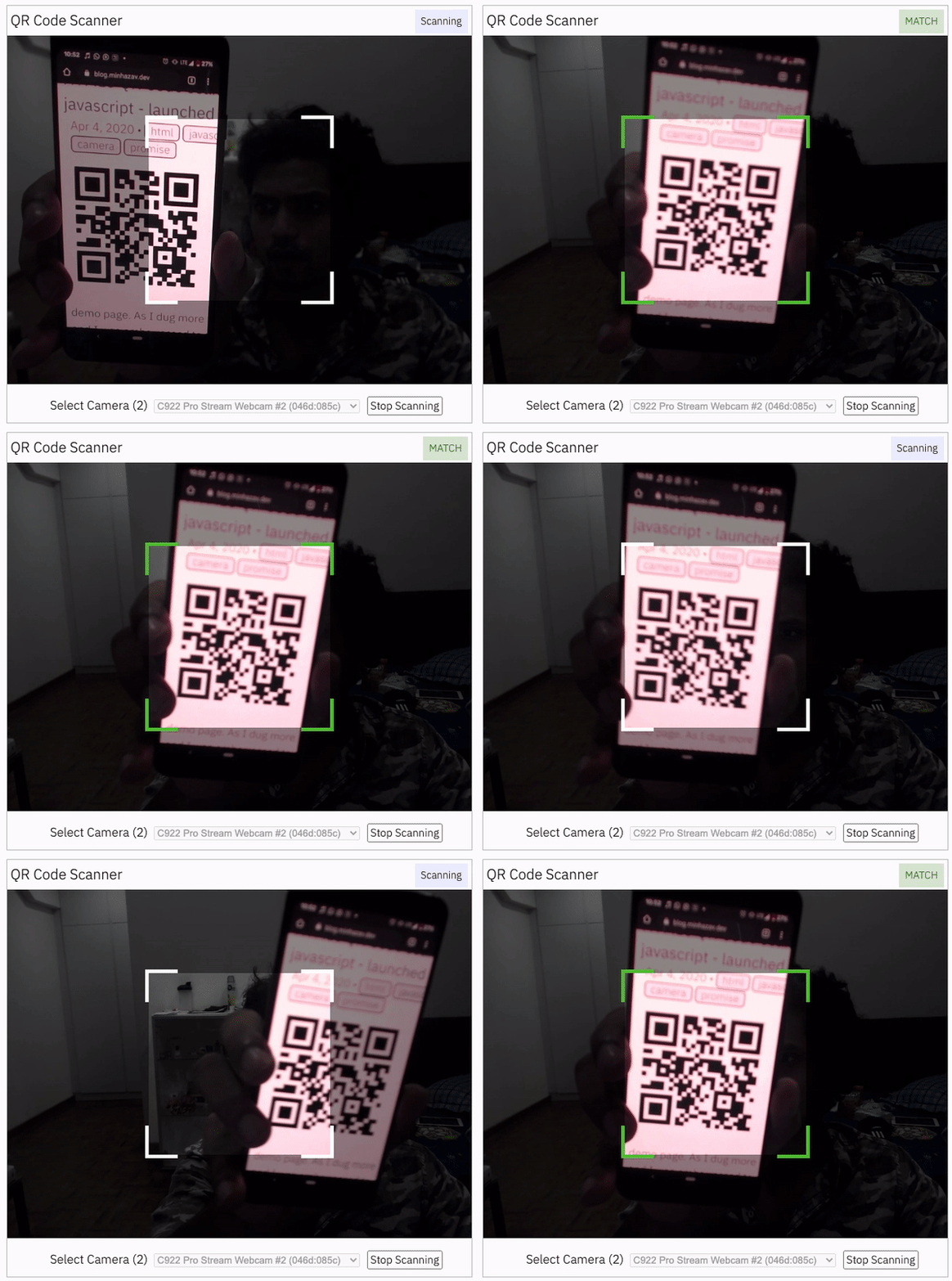<br />
|
||||
_Figure: Screenshot from Google Chrome running on MacBook Pro_
|
||||
|
||||
## Documentation
|
||||
Find the full API documentation at [scanapp.org/html5-qrcode-docs/docs/apis](https://scanapp.org/html5-qrcode-docs/docs/apis).
|
||||
|
||||
### Extra optional `configuration` in `start()` method
|
||||
Configuration object that can be used to configure both the scanning behavior and the user interface (UI). Most of the fields have default properties that will be used unless a different value is provided. If you do not want to override anything, you can just pass in an empty object `{}`.
|
||||
|
||||
#### `fps` — Integer, Example = 10
|
||||
A.K.A frame per second, the default value for this is 2, but it can be increased to get faster scanning. Increasing too high value could affect performance. Value `>1000` will simply fail.
|
||||
|
||||
#### `qrbox` — `QrDimensions` or `QrDimensionFunction` (Optional), Example = `{ width: 250, height: 250 }`
|
||||
Use this property to limit the region of the viewfinder you want to use for scanning. The rest of the viewfinder would be shaded. For example, by passing config `{ qrbox : { width: 250, height: 250 } }`, the screen will look like:
|
||||
|
||||
<img src="https://scanapp.org/assets/github_assets/screen.gif" />
|
||||
|
||||
This can be used to set a rectangular scanning area with config like:
|
||||
|
||||
```js
|
||||
let config = { qrbox : { width: 400, height: 150 } }
|
||||
```
|
||||
|
||||
This config also accepts a function of type
|
||||
```ts
|
||||
/**
|
||||
* A function that takes in the width and height of the video stream
|
||||
* and returns QrDimensions.
|
||||
*
|
||||
* Viewfinder refers to the video showing camera stream.
|
||||
*/
|
||||
type QrDimensionFunction =
|
||||
(viewfinderWidth: number, viewfinderHeight: number) => QrDimensions;
|
||||
```
|
||||
|
||||
This allows you to set dynamic QR box dimensions based on the video dimensions. See this blog article for example: [Setting dynamic QR box size in Html5-qrcode - ScanApp blog](https://scanapp.org/blog/2022/01/09/setting-dynamic-qr-box-size-in-html5-qrcode.html)
|
||||
|
||||
> This might be desirable for bar code scanning.
|
||||
|
||||
If this value is not set, no shaded QR box will be rendered and the scanner will scan the entire area of video stream.
|
||||
|
||||
#### `aspectRatio` — Float, Example 1.777778 for 16:9 aspect ratio
|
||||
Use this property to render the video feed in a certain aspect ratio. Passing a nonstandard aspect ratio like `100000:1` could lead to the video feed not even showing up. Ideal values can be:
|
||||
| Value | Aspect Ratio | Use Case |
|
||||
| ----- | ------------ | -------- |
|
||||
|1.333334 | 4:3 | Standard camera aspect ratio |
|
||||
|1.777778 | 16:9 | Full screen, cinematic |
|
||||
|1.0 | 1:1 | Square view |
|
||||
|
||||
If you do not pass any value, the whole viewfinder would be used for scanning.
|
||||
**Note**: this value has to be smaller than the width and height of the `QR code HTML element`.
|
||||
|
||||
#### `disableFlip` — Boolean (Optional), default = false
|
||||
By default, the scanner can scan for horizontally flipped QR Codes. This also enables scanning QR code using the front camera on mobile devices which are sometimes mirrored. This is `false` by default and I recommend changing this only if:
|
||||
- You are sure that the camera feed cannot be mirrored (Horizontally flipped)
|
||||
- You are facing performance issues with this enabled.
|
||||
|
||||
Here's an example of a normal and mirrored QR Code
|
||||
| Normal QR Code | Mirrored QR Code |
|
||||
| ----- | ---- |
|
||||
| <img src="https://scanapp.org/assets/github_assets/qr-code.png" width="200px" /> | <img src="https://scanapp.org/assets/github_assets/qr-code-flipped.png" width="200px" /><br /> |
|
||||
|
||||
#### `rememberLastUsedCamera` — Boolean (Optional), default = true
|
||||
If `true` the last camera used by the user and weather or not permission was granted would be remembered in the local storage. If the user has previously granted permissions — the request permission option in the UI will be skipped and the last selected camera would be launched automatically for scanning.
|
||||
|
||||
If `true` the library shall remember if the camera permissions were previously
|
||||
granted and what camera was last used. If the permissions is already granted for
|
||||
"camera", QR code scanning will automatically * start for previously used camera.
|
||||
|
||||
#### `supportedScanTypes` - `Array<Html5QrcodeScanType> | []`
|
||||
> This is only supported for `Html5QrcodeScanner`.
|
||||
|
||||
Default = `[Html5QrcodeScanType.SCAN_TYPE_CAMERA, Html5QrcodeScanType.SCAN_TYPE_FILE]`
|
||||
|
||||
This field can be used to:
|
||||
- Limit support to either of `Camera` or `File` based scan.
|
||||
- Change default scan type.
|
||||
|
||||
How to use:
|
||||
|
||||
```js
|
||||
function onScanSuccess(decodedText, decodedResult) {
|
||||
// handle the scanned code as you like, for example:
|
||||
console.log(`Code matched = ${decodedText}`, decodedResult);
|
||||
}
|
||||
|
||||
let config = {
|
||||
fps: 10,
|
||||
qrbox: {width: 100, height: 100},
|
||||
rememberLastUsedCamera: true,
|
||||
// Only support camera scan type.
|
||||
supportedScanTypes: [Html5QrcodeScanType.SCAN_TYPE_CAMERA]
|
||||
};
|
||||
|
||||
let html5QrcodeScanner = new Html5QrcodeScanner(
|
||||
"reader", config, /* verbose= */ false);
|
||||
html5QrcodeScanner.render(onScanSuccess);
|
||||
```
|
||||
|
||||
For file based scan only choose:
|
||||
```js
|
||||
supportedScanTypes: [Html5QrcodeScanType.SCAN_TYPE_FILE]
|
||||
```
|
||||
|
||||
For supporting both as it is today, you can ignore this field or set as:
|
||||
```js
|
||||
supportedScanTypes: [
|
||||
Html5QrcodeScanType.SCAN_TYPE_CAMERA,
|
||||
Html5QrcodeScanType.SCAN_TYPE_FILE]
|
||||
```
|
||||
|
||||
To set the file based scan as defult change the order:
|
||||
```js
|
||||
supportedScanTypes: [
|
||||
Html5QrcodeScanType.SCAN_TYPE_FILE,
|
||||
Html5QrcodeScanType.SCAN_TYPE_CAMERA]
|
||||
```
|
||||
|
||||
#### `showTorchButtonIfSupported` - `boolean | undefined`
|
||||
> This is only supported for `Html5QrcodeScanner`.
|
||||
|
||||
If `true` the rendered UI will have button to turn flash on or off based on device + browser support. The value is `false` by default.
|
||||
|
||||
### Scanning only specific formats
|
||||
By default, both camera stream and image files are scanned against all the
|
||||
supported code formats. Both `Html5QrcodeScanner` and `Html5Qrcode` classes can
|
||||
be configured to only support a subset of supported formats. Supported formats
|
||||
are defined in
|
||||
[enum Html5QrcodeSupportedFormats](https://github.com/mebjas/html5-qrcode/blob/master/src/core.ts#L14).
|
||||
|
||||
```ts
|
||||
enum Html5QrcodeSupportedFormats {
|
||||
QR_CODE = 0,
|
||||
AZTEC,
|
||||
CODABAR,
|
||||
CODE_39,
|
||||
CODE_93,
|
||||
CODE_128,
|
||||
DATA_MATRIX,
|
||||
MAXICODE,
|
||||
ITF,
|
||||
EAN_13,
|
||||
EAN_8,
|
||||
PDF_417,
|
||||
RSS_14,
|
||||
RSS_EXPANDED,
|
||||
UPC_A,
|
||||
UPC_E,
|
||||
UPC_EAN_EXTENSION,
|
||||
}
|
||||
```
|
||||
|
||||
I recommend using this only if you need to explicitly omit support for certain
|
||||
formats or want to reduce the number of scans done per second for performance
|
||||
reasons.
|
||||
|
||||
#### Scanning only QR code with `Html5Qrcode`
|
||||
```js
|
||||
const html5QrCode = new Html5Qrcode(
|
||||
"reader", { formatsToSupport: [ Html5QrcodeSupportedFormats.QR_CODE ] });
|
||||
const qrCodeSuccessCallback = (decodedText, decodedResult) => {
|
||||
/* handle success */
|
||||
};
|
||||
const config = { fps: 10, qrbox: { width: 250, height: 250 } };
|
||||
|
||||
// If you want to prefer front camera
|
||||
html5QrCode.start({ facingMode: "user" }, config, qrCodeSuccessCallback);
|
||||
```
|
||||
|
||||
#### Scanning only QR code and UPC codes with `Html5QrcodeScanner`
|
||||
```js
|
||||
function onScanSuccess(decodedText, decodedResult) {
|
||||
// Handle the scanned code as you like, for example:
|
||||
console.log(`Code matched = ${decodedText}`, decodedResult);
|
||||
}
|
||||
|
||||
const formatsToSupport = [
|
||||
Html5QrcodeSupportedFormats.QR_CODE,
|
||||
Html5QrcodeSupportedFormats.UPC_A,
|
||||
Html5QrcodeSupportedFormats.UPC_E,
|
||||
Html5QrcodeSupportedFormats.UPC_EAN_EXTENSION,
|
||||
];
|
||||
const html5QrcodeScanner = new Html5QrcodeScanner(
|
||||
"reader",
|
||||
{
|
||||
fps: 10,
|
||||
qrbox: { width: 250, height: 250 },
|
||||
formatsToSupport: formatsToSupport
|
||||
},
|
||||
/* verbose= */ false);
|
||||
html5QrcodeScanner.render(onScanSuccess);
|
||||
```
|
||||
|
||||
## Experimental features
|
||||
The library now supports some experimental features which are supported in the
|
||||
library but not recommended for production usage either due to limited testing
|
||||
done or limited compatibility for underlying APIs used. Read more about it [here](/experimental.md).
|
||||
Some experimental features include:
|
||||
- [Support for BarcodeDetector JavaScript API](/experimental.md)
|
||||
|
||||
## How to modify and build
|
||||
1. Code changes should only be made to [/src](./src) only.
|
||||
|
||||
2. Run `npm install` to install all dependencies.
|
||||
|
||||
3. Run `npm run-script build` to build JavaScript output. The output JavaScript distribution is built to [/dist/html5-qrcode.min.js](./dist/html5-qrcode.min.js). If you are developing on Windows OS, run `npm run-script build-windows`.
|
||||
|
||||
4. Testing
|
||||
- Run `npm test`
|
||||
- Run the tests before sending a pull request, all tests should run.
|
||||
- Please add tests for new behaviors sent in PR.
|
||||
|
||||
5. Send a pull request
|
||||
- Include code changes only to `./src`. **Do not change `./dist` manually.**
|
||||
- In the pull request add a comment like
|
||||
```text
|
||||
@all-contributors please add @mebjas for this new feature or tests
|
||||
```
|
||||
- For calling out your contributions, the bot will update the contributions file.
|
||||
- Code will be built & published by the author in batches.
|
||||
|
||||
## How to contribute
|
||||
You can contribute to the project in several ways:
|
||||
|
||||
- File issue ticket for any observed bug or compatibility issue with the project.
|
||||
- File feature request for missing features.
|
||||
- Take open bugs or feature request and work on it and send a Pull Request.
|
||||
- Write unit tests for existing codebase (which is not covered by tests today). **Help wanted on this** - [read more](./tests).
|
||||
|
||||
## Support 💖
|
||||
|
||||
This project would not be possible without all of our fantastic contributors and [sponsors](https://github.com/sponsors/mebjas). If you'd like to support the maintenance and upkeep of this project you can [donate via GitHub Sponsors](https://github.com/sponsors/mebjas).
|
||||
|
||||
**Sponsor the project for priortising feature requests / bugs relevant to you**. (Depends on scope of ask and bandwidth of the contributors).
|
||||
|
||||
<!-- sponsors -->
|
||||
<a href="https://github.com/webauthor"><img src="https://github.com/webauthor.png" width="40px" alt="webauthor@" /></a>
|
||||
<a href="https://github.com/ben-gy"><img src="https://github.com/ben-gy.png" width="40px" alt="ben-gy" /></a>
|
||||
<a href="https://github.com/bujjivadu"><img src="https://github.com/bujjivadu.png" width="40px" alt="bujjivadu" /></a>
|
||||
<!-- sponsors -->
|
||||
|
||||
Help incentivise feature development, bug fixing by supporting the sponsorhip goals of this project. See [list of sponsered feature requests here](https://github.com/mebjas/html5-qrcode/wiki/Feature-request-sponsorship-goals#feature-requests).
|
||||
|
||||
Also, huge thanks to following organizations for non monitery sponsorships
|
||||
|
||||
<!-- sponsors -->
|
||||
<div>
|
||||
<a href="https://scanapp.org"><img src="https://scanapp.org/assets/svg/scanapp.svg" height="60px" alt="" /></a>
|
||||
</div>
|
||||
<div>
|
||||
<a href="https://www.browserstack.com"><img src="https://www.browserstack.com/images/layout/browserstack-logo-600x315.png" height="100px" alt="" /></a>
|
||||
</div>
|
||||
<!-- sponsors -->
|
||||
|
||||
## Credits
|
||||
The decoder used for the QR code reading is from `Zxing-js` https://github.com/zxing-js/library<br />
|
||||
File diff suppressed because one or more lines are too long
@@ -1,34 +1,18 @@
|
||||
{
|
||||
"tiddlers": [
|
||||
{
|
||||
"file": "qrcode/qrcode.js",
|
||||
"file": "qrcode.js",
|
||||
"fields": {
|
||||
"type": "application/javascript",
|
||||
"title": "$:/plugins/tiddlywiki/qrcode/qrcode/qrcode.js",
|
||||
"title": "$:/plugins/tiddlywiki/qrcode/qrcode.js",
|
||||
"module-type": "library"
|
||||
}
|
||||
},{
|
||||
"file": "qrcode/LICENSE",
|
||||
"file": "LICENSE",
|
||||
"fields": {
|
||||
"type": "text/plain",
|
||||
"title": "$:/plugins/tiddlywiki/qrcode/qrcode/license"
|
||||
}
|
||||
},{
|
||||
"file": "html5-qrcode/html5-qrcode.min.js",
|
||||
"fields": {
|
||||
"type": "application/javascript",
|
||||
"title": "$:/plugins/tiddlywiki/qrcode/html5-qrcode/html5-qrcode.js",
|
||||
"module-type": "library"
|
||||
},
|
||||
"prefix": "window.__Html5QrcodeLibrary__ = {};",
|
||||
"suffix": "\n;exports.__Html5QrcodeLibrary__ = __Html5QrcodeLibrary__;window.__Html5QrcodeLibrary__ = __Html5QrcodeLibrary__;"
|
||||
},{
|
||||
"file": "html5-qrcode/LICENSE",
|
||||
"fields": {
|
||||
"type": "text/plain",
|
||||
"title": "$:/plugins/tiddlywiki/qrcode/html5-qrcode/license"
|
||||
"title": "$:/plugins/tiddlywiki/qrcode/license"
|
||||
}
|
||||
}
|
||||
]
|
||||
}
|
||||
|
||||
|
||||
@@ -16,7 +16,7 @@ Macro to convert a string into a QR Code
|
||||
Information about this macro
|
||||
*/
|
||||
|
||||
var qrcode = require("$:/plugins/tiddlywiki/qrcode/qrcode/qrcode.js");
|
||||
var qrcode = require("$:/plugins/tiddlywiki/qrcode/qrcode.js");
|
||||
|
||||
var QRCODE_GENERATION_ERROR_PREFIX = '<svg xmlns="http://www.w3.org/2000/svg" viewBox="0 0 300 300"><text x="0" y="30" fill="red" font-family="Helvetica, sans-serif" font-size="18">',
|
||||
QRCODE_GENERATION_ERROR_SUFFIX = '</text></svg>';
|
||||
|
||||
@@ -3,5 +3,5 @@
|
||||
"name": "QR Code",
|
||||
"description": "QR Code generator",
|
||||
"author": "Zeno Zeng",
|
||||
"list": "readme docs examples license"
|
||||
"list": "readme usage examples license"
|
||||
}
|
||||
|
||||
@@ -1,15 +0,0 @@
|
||||
title: $:/plugins/tiddlywiki/qrcode/readme
|
||||
|
||||
The QR Code Plugin contains several features for working with QR codes and other types of barcode.
|
||||
|
||||
* The ''makeqr'' macro enables any text to be rendered as a [[QR code|https://en.wikipedia.org/wiki/QR_code]]. QR codes are a type of 2-dimensional bar code that encodes arbitrary data: text, numbers, links. QR code readers are available or built-in for smartphones, making them a convenient means to transfer information between devices
|
||||
* The `<$barcodereader>` widget that enables barcodes to be decoded from the device camera or direct from an image file
|
||||
* A new toolbar button that can display several QR code renderings of the content of a tiddler:
|
||||
** Raw content
|
||||
** Rendered, formatted content
|
||||
** URL of tiddler
|
||||
|
||||
This plugin uses the following open source libraries:
|
||||
|
||||
* [[qrcode.js by Zeno Zeng|https://github.com/zenozeng/node-yaqrcode]]
|
||||
* [[Html5-QRCode by Minhaz|https://github.com/mebjas/html5-qrcode]]
|
||||
@@ -1,5 +1,6 @@
|
||||
title: $:/themes/tiddlywiki/vanilla/base
|
||||
tags: [[$:/tags/Stylesheet]]
|
||||
list-before:
|
||||
code-body: yes
|
||||
|
||||
\define custom-background-datauri()
|
||||
|
||||
Reference in New Issue
Block a user